For the things you do every so often
How long
has it been?
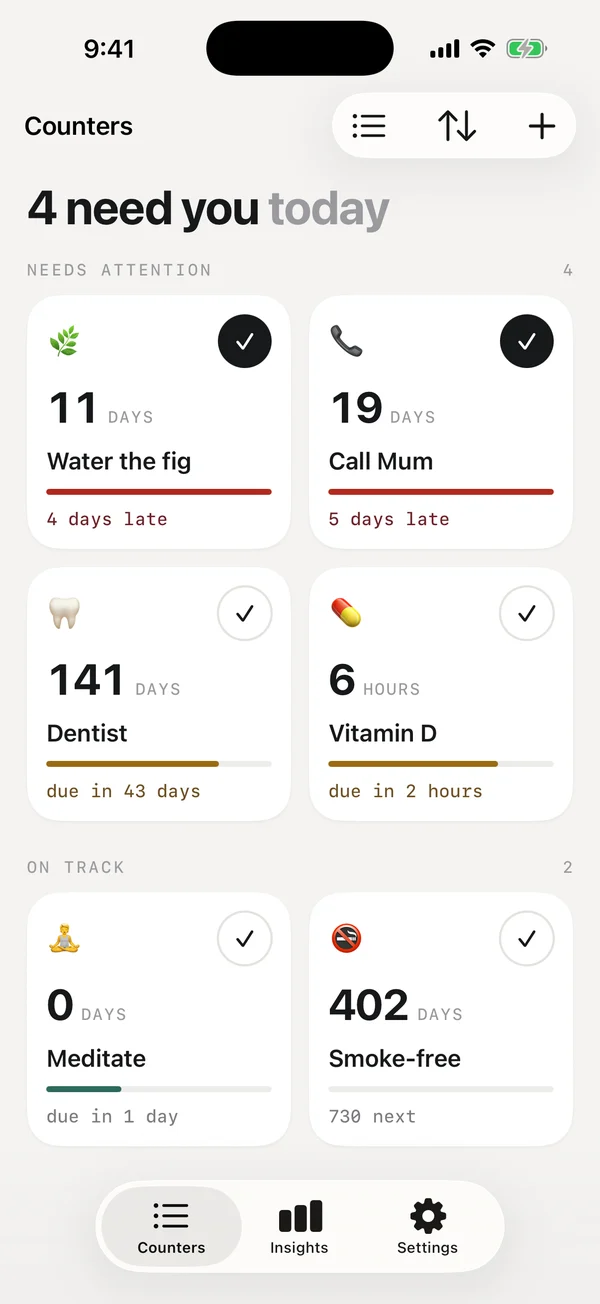
Water the plants, call Mum, see the dentist. Whense shows how long it's been since you last did them, and reminds you once when one is late. No streaks, no guilt.
Coming soon to iPhone and Android
On your device. No account needed.
What is Whense?
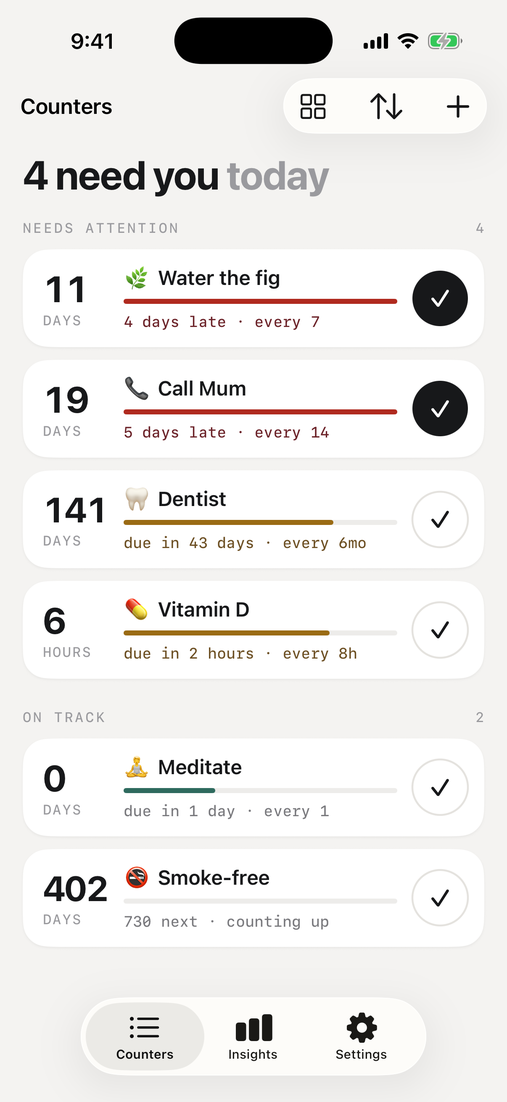
Whense is a free last-time tracker for iPhone and Android. It shows how many days it has been since you last did something, lets you set how often you mean to, and sends one reminder when it's late. Your counters stay on your phone. No account.
How it works
Count it. Log it. Get one nudge.
Three small ideas, and nothing else to learn.
01 · Count
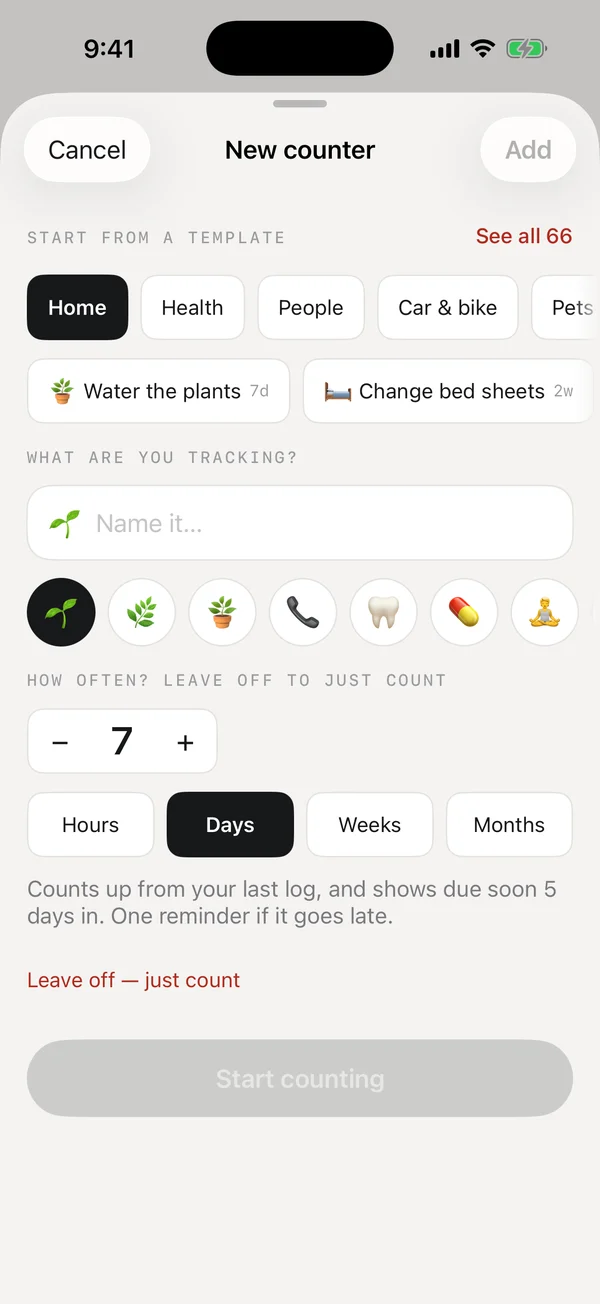
Every thing gets a counter
Pick from 66 ready-made rhythms or name your own. Each counter shows the days since you last did it.
02 · Log
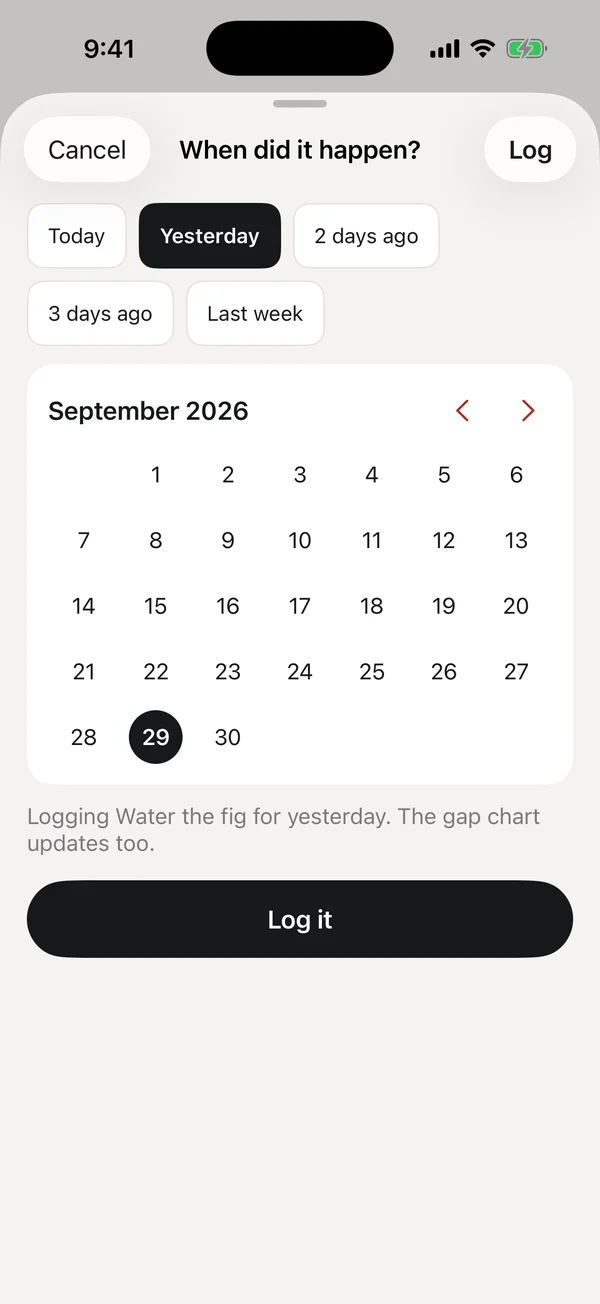
One tap, or any past day
Tap the check and the count starts again. Forgot in the moment? Log it for yesterday or last Sunday.
03 · Nudge
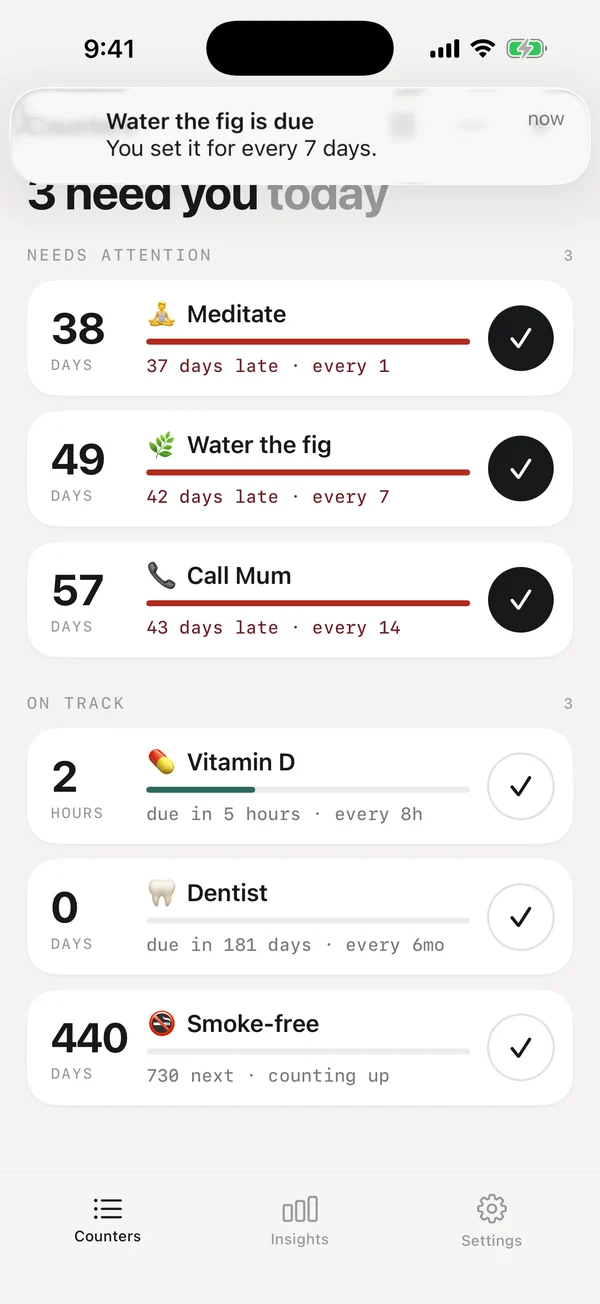
One calm reminder
Only when something is late, once. Log it right from the notification, or snooze it for two days.
The idea
A number, a rhythm, and a bar that drifts.
Tell Whense how often you mean to, every 8 hours, 7 days, 2 weeks or 6 months, and a bar fills as the time runs out. The list puts what needs you first.
Made for real life
Ready-made rhythms for almost everything.
Home, health, people, car, pets and more, 66 in all. Or name anything and choose your own rhythm, from hours to months.
- 🌿 Water the plants
- 🦷 Dentist
- 📞 Call Mum
- 🛏️ Change sheets
- 🚗 Car service
- 🐕 Flea treatment
- 💊 Vitamin D
On your Home Screen
Log it without opening anything.
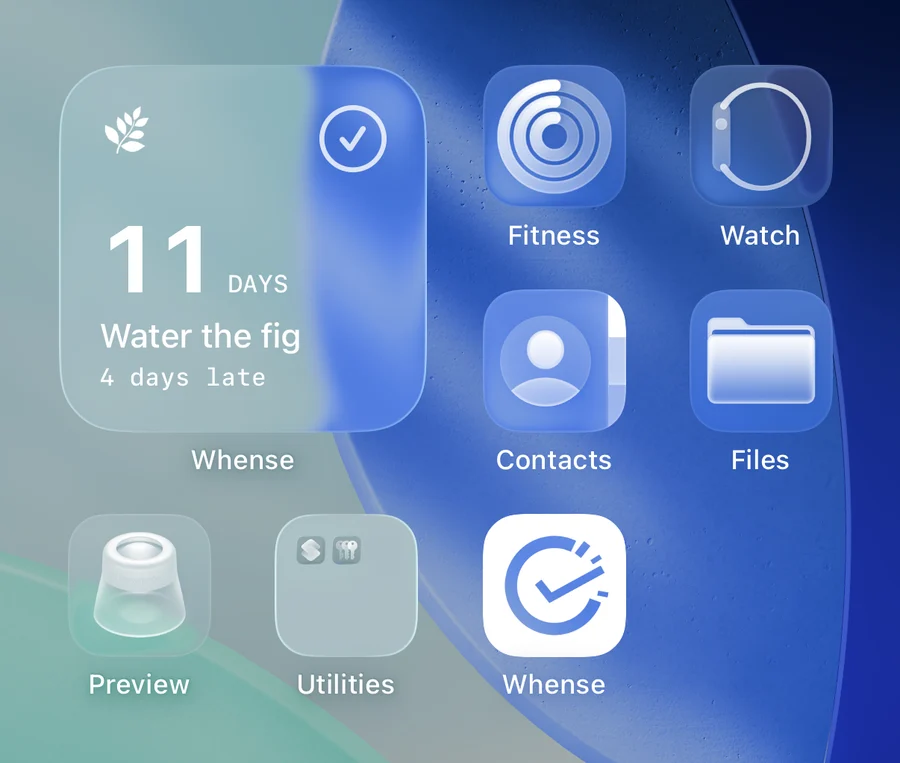
Put a counter on your Home Screen, Lock Screen or Control Center and tap the check. The count resets in place and the app never opens. On Android there is a one-tap tile too.
- Home Screen
- Lock Screen
- Control Center
- Tinted & clear looks
- Android widgets
What it isn't
No streaks. No guilt.
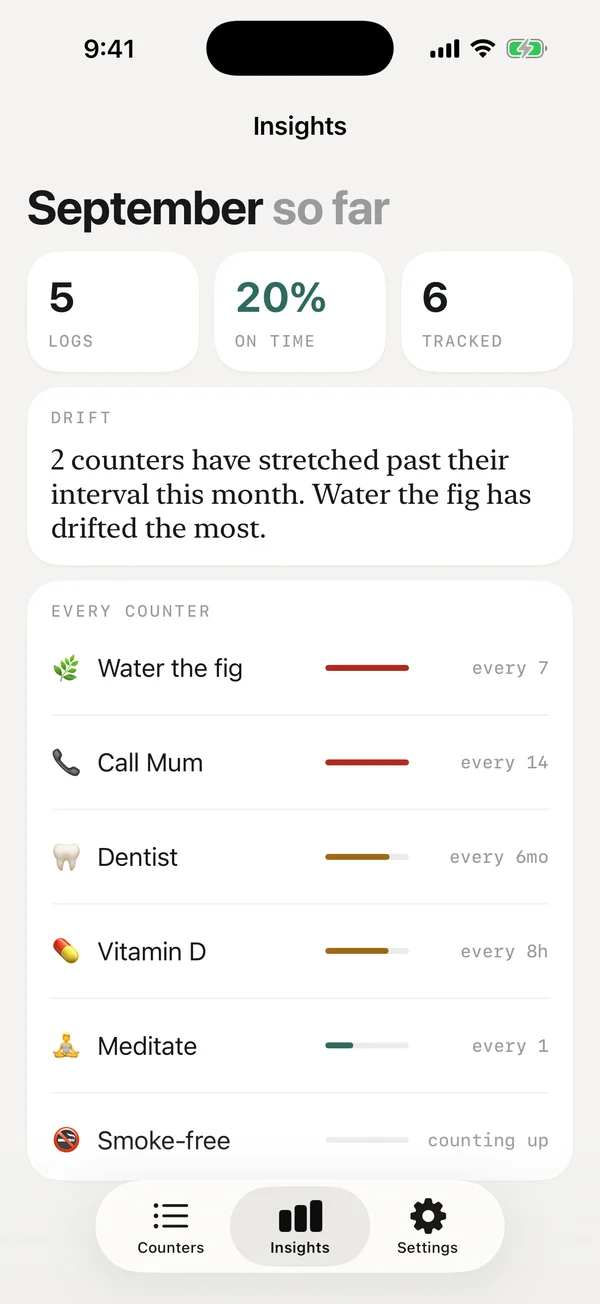
Missed a day? It reads 2 days · drifting, never “streak broken”. Log it and carry on. Insights show how the month is going in plain words, not scores.
Light, dark, your size
Follows your phone's dark mode and text size. Choose a palette and paper tone; the meaning of each colour never changes.
Colour always has words
Late, due soon and on track are written out as well as coloured, so nothing depends on telling red from green.
Quiet hours
Keep the night quiet, mute any counter, and never get a daily nag. One reminder, only when it's late.
Details
Privacy
On your device. No account needed.
Whense doesn't have your list, because it never leaves your phone.
- Stays on your phone. Your counters live on the device.
- No sign-up. No account, no email.
- No tracking. No analytics, ads or trackers.
- Backed up your way. With your phone's own backup.
Questions
What is Whense?
Whense is a free last-time tracker for iPhone and Android. It shows how many days it has been since you last did something, such as watering a plant, changing the sheets, calling Mum or seeing the dentist. You choose how often you mean to do each one, and Whense sends a single reminder when one is late. Your counters stay on your phone and there is no account.
When is it available?
Whense is coming to the App Store and Google Play soon.
How much does it cost?
Whense is free. An optional upgrade for syncing between devices and sharing counters is planned for later; everything in the app today stays free.
How is Whense different from a to-do list or a calendar?
A to-do list asks what you need to do today. Whense answers how long it has been. Each counter has its own rhythm, from hours to months, the list puts what is late first, and you get one reminder when something goes past its rhythm rather than a fixed daily alarm.
Is it a habit tracker?
It works for daily habits too, since a habit is just a counter with a one-day rhythm, but there are no streaks, scores or perfect-week calendars. It is built for the things you do every so often and want to stop losing track of.
What can I track with Whense?
Anything you do on a rhythm: watering plants, changing bed sheets, car servicing, pet treatments, calling family, dentist visits, vitamins. Start from one of 66 ready-made ideas across home, health, people, car and pets, or name your own and pick a rhythm from hours to months. You can also count up the time since something ended, like being smoke-free.
Does Whense have widgets?
Yes. On iPhone there are Home Screen widgets (a single counter, and a list of what needs you), Lock Screen widgets, and a Control Center button that logs a counter in one press. On Android there are Home Screen widgets for one counter, a quick-log tile, and what needs you. The check mark on a widget logs in place without opening the app.
Does Whense need an account or internet?
No. There is no account, sign-up or email, and Whense works offline. Your counters are stored on your device.
Does Whense collect or share my data?
No. Whense has no analytics, ads or trackers, and your counters never leave your phone. See the privacy policy for the full detail.
What happens when I get a new phone?
Your counters come along with your phone's own backup (iCloud on iPhone, Google on Android). Moving between iPhone and Android isn't supported yet.
How long has it been?
Find out soon. Whense is coming to iPhone and Android.
Coming soon